
In this post, we will see how to reverse an ArrayList in Java by creating a copy of it. In reverse order without altering the ordering of elements in the original list. ArrayList is nothing but a dynamic array, which can resize itself.
This guide explains how to reverse ArrayList in Java with the standard Collections API, while preserving the original list when your application needs both orders.
What is Collections Class
The specified list may or may not be mutable, but the returned list should be mutable. The Collections class provides a method named reverse() this method accepts a list and reverses the order of elements in it.
How to start Android app development for beginners
How Collections Reverse Work
The given ArrayList can be reversed using Collections.reverse() method. Collections is a class in java util package which contains various static methods for searching, sorting, reversing, finding min, max….etc.
Reverse an ArrayList in Java Without Losing the Original
The shortest solution is Collections.reverse(list), but it is important to understand what the method changes. It rearranges the elements in the list that you pass to it; it does not create a separate reversed result automatically. If another part of your program still needs the original order, make a writable copy first.
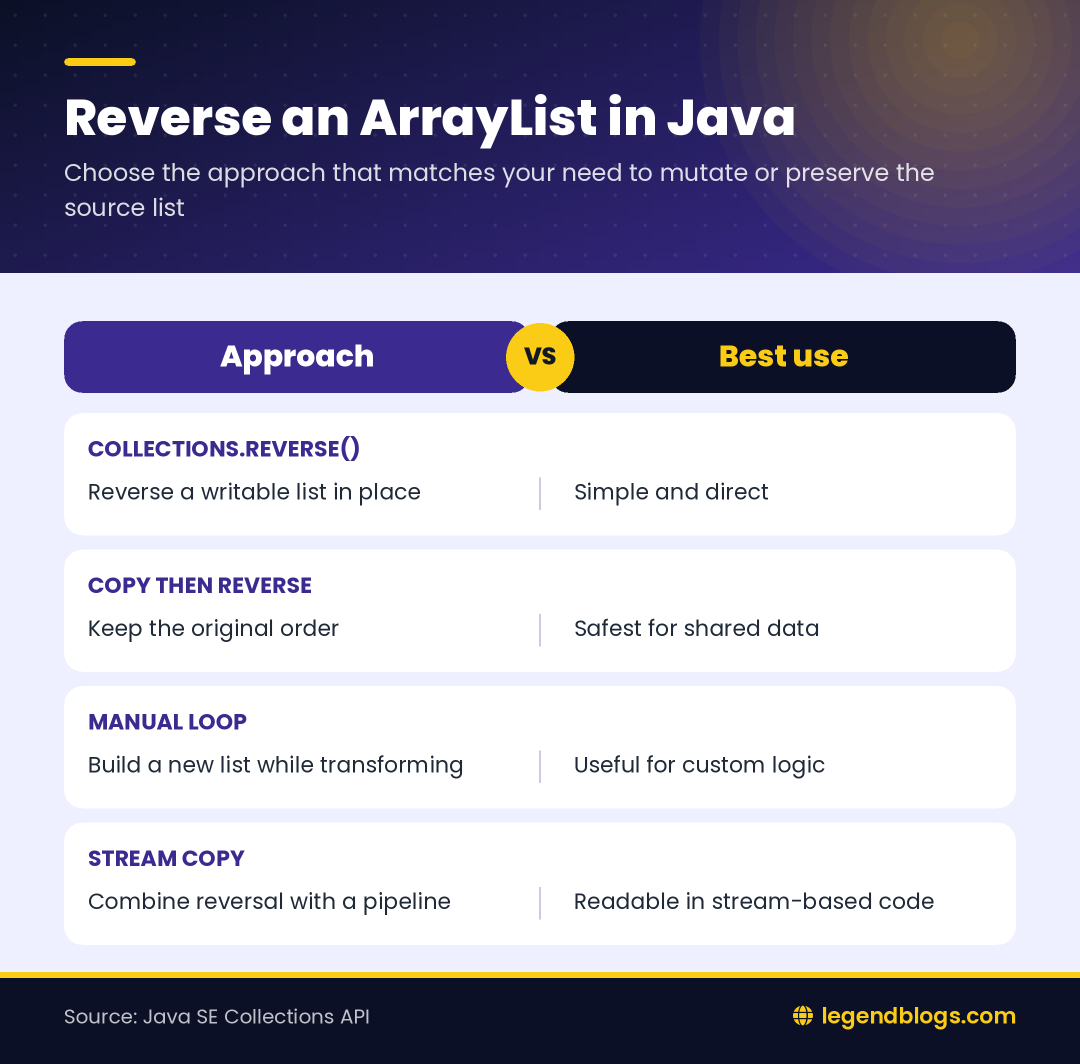
Reverse the Existing List
Use the direct form when the current list is temporary or when changing its order is intentional:
List<String> names = new ArrayList<>(List.of("Asha", "Ben", "Chen"));
Collections.reverse(names);
System.out.println(names);
The list remains the same object, but its indexes now point to the elements in reverse order. This is useful for displaying the newest item first or processing a queue-like list from the end. It also means that references to the same list see the changed order.
Create a Reversed Copy
When the original order matters, copy the values before reversing:
List<String> original = new ArrayList<>(List.of("Asha", "Ben", "Chen"));
List<String> reversed = new ArrayList<>(original);
Collections.reverse(reversed);

System.out.println(original);
System.out.println(reversed);
This approach makes the intent clear and prevents an unexpected change to data used elsewhere. The copy must be writable because the reverse operation replaces elements by position.
Which Lists Can Be Reversed?
Reversal needs a list that supports element replacement. A normal ArrayList supports this operation, while an unmodifiable list created with List.of() does not. A fixed-size view such as Arrays.asList() can usually replace existing values, but it cannot change its size; reversing it is different from adding or removing items.
Why UnsupportedOperationException Appears
If the list is immutable or wrapped as unmodifiable, calling Collections.reverse() can fail with UnsupportedOperationException. Convert it to a new ArrayList before reversing:
List<String> source = List.of("Asha", "Ben", "Chen");
List<String> writable = new ArrayList<>(source);
Collections.reverse(writable);
This copy also gives you a safe place to sort, replace, or remove elements later. Do not catch the exception and ignore it; identify whether the caller expects a changed list or a new result.
Other Ways to Reverse an ArrayList
Manual Index Loop
A loop is useful when you need to transform each value while reading from the end, or when you want to teach the index relationship explicitly:
List<String> reversed = new ArrayList<>();
for (int index = original.size() - 1; index >= 0; index--) {
    reversed.add(original.get(index));
}
This builds a new list and leaves original unchanged. It is more code than the library method, so use it when the additional processing is valuable rather than as a replacement for a clear standard-library call.
Stream-Based Copy
A stream can produce a new list by reading indexes in descending order:
List<String> reversed = IntStream.range(0, original.size())
        .mapToObj(index -> original.get(original.size() - 1 - index))
        .collect(Collectors.toList());
This form can fit a larger stream pipeline, but it does not make the operation automatically faster or simpler. For a plain reversal, copying the list and calling Collections.reverse() is generally easier to read.
Duplicates, Null Values, and Empty Lists
Reversing changes positions, not object identity. Duplicate values remain duplicated, and a null element is moved like any other element if the list permits nulls. An empty list is simply still empty after reversal, so no special loop is required for that case.
- Use a generic type such as List<String> instead of a raw ArrayList.
- Check for a null list before calling the method if null is possible.
- Do not confuse reverse order with reverse sorting; descending sort compares values.
- Remember that a shallow copy copies references, not the mutable objects inside the list.
Performance and Choosing a Method
For an ArrayList, reversing in place avoids creating another list and is a good default when mutation is acceptable. A copied reversal uses additional memory but is safer when the original order is part of the program’s contract. A loop or stream is appropriate when the reversed traversal is combined with filtering, mapping, or another transformation.
Choose the clearest operation for the reader who will maintain the code. The standard library method communicates the intention immediately, while a manual loop is better reserved for cases where it does more than simply reverse positions.
Common Errors When Reversing a List
Reversing the Wrong Reference
Make sure the variable passed to Collections.reverse() is the list whose order you intend to change. If two variables refer to the same list, both names will observe the new order. Create an explicit copy when separate state is required.
Using an Unmodifiable Result
Factory methods that return unmodifiable lists are convenient for fixed data, but they are not suitable for an in-place reverse. Wrap the source in new ArrayList<>() first and then mutate the copy.
For another Java example involving text processing, see replacing whole words with Java word boundaries. The same principle applies: choose the API that matches whether you want to mutate existing data or produce a separate result.
FAQ
Does Collections.reverse() create a new ArrayList?
No. It changes the order of the list supplied to it and returns no list result. Copy the list first when the original order must remain available.
Can I reverse a List.of() result?
Not directly. List.of() creates an unmodifiable list, so create a writable ArrayList copy before calling Collections.reverse().
Does reversing remove duplicate values?
No. It only changes element positions. Duplicate and null values remain present when the list supports them.
What is the simplest way to reverse an ArrayList?
Use Collections.reverse(list) for a writable list. Use a copied list first when changing the original would be unsafe.
Example
import java.util.ArrayList;
import java.util.Collections;

    public class ReverseArrayList
    {
        public static void main(String[] args)
        {
            ArrayList<String> list = new ArrayList<String>();

            list.add("Cupcake");

            list.add("Donut");

            list.add("Eclair");

            list.add("Froyo");

            list.add("Gingerbread");

            list.add("Honeycomb");

            list.add("Cream Sandwich");

            list.add("Jelly Bean");

            //Printing list before reverse

            System.out.println("ArrayList Before Reverse :");

            System.out.println(list);

            //Reversing the list using Collections.reverse() method

            Collections.reverse(list);

            //Printing list after reverse

            System.out.println("ArrayList After Reverse :");

            System.out.println(list);
        }
    }
Some Useful Methods Of java Util Collections
Collections copy
Collections.copy(): This method is used to copy all elements from one list to another list.
Collections replace All
Collections.replaceAll(): In addition, It replaces all occurrences of old value with new value in the given list.
How to add Firebase in android app
Collections synchronized List
Collections.synchronizedList(): Above method returns the synchronized i.e thread-safe list backed by the specified list.
Collections synchronized Collection
Collections.synchronizedCollection(): This method returns the synchronized version of the specified Collection.
Collections max
Collections.max(): Collections max returns the maximum element in the given Collection.
Collections min
Collections.min(): Similarly, It returns the minimum element in the given Collection.
Conclusion
There are many types of exercise you can do regularly. Above all code is fit for this example. In conclusion, you can see the output of the above code for reverse an ArrayList in Java :
ArrayList Before Reverse :
[Cupcake, Donut, Eclair, Froyo, Gingerbread, Honeycomb, Cream Sandwich, Jelly Bean]
ArrayList After Reverse :
[Jelly Bean, Cream Sandwich, Honeycomb, Gingerbread, Froyo, Eclair, Donut, Cupcake ]







Write a comment