You can vibrate your Android device using few lines of code in your project. Vibrator is one of the most and useful devices for mobile phones. Vibrating your Android phone programmatically is very easy and simple.
When user touches the application, and you would like to give a feedback to user then you can use this vibrate service. First of all you need to change in your AndroidManifest.xml. You need to insert this line in your file.
<uses-permission android:name="android.permission.VIBRATE"/>
Then your AndroidManifest.xml should be like this:
AndroidManifest.xml
<?xml version="1.0" encoding="utf-8"?>
<manifest xmlns:android="http://schemas.android.com/apk/res/android"
    package="com.legendblogs.vibrate"
    android:versionCode="1"
    android:versionName="1.0" >

    <uses-permission android:name="android.permission.VIBRATE"/>

    <uses-sdk
        android:minSdkVersion="8"
        android:targetSdkVersion="23" />

    <application
        android:allowBackup="true"
        android:icon="@drawable/ic_launcher"
        android:label="@string/app_name"
        android:theme="@style/AppTheme" >
        <activity
            android:name="com.legendblogs.vibrate.VibratorActivity"
            android:configChanges="orientation|keyboardHidden"
            android:label="@string/app_name" >
            <intent-filter>
                <action android:name="android.intent.action.MAIN" />
                <category android:name="android.intent.category.LAUNCHER" />
            </intent-filter>
        </activity>
    </application>

</manifest>
Once you have added the permission you need to make a changes in your Activity file:
MainActivity.java
com.legendblogs.vibrate;

import android.os.Bundle;
import android.os.Vibrator;
import android.app.Activity;
import android.content.Context;
import android.view.View;


public class VibratorActivity extends Activity
  {

    public Vibrator vibrator;

    @Override
    protected void onCreate(Bundle savedInstanceState)
    {
        super.onCreate(savedInstanceState);
        setContentView(R.layout.activity_main);

        Button vibrate_button = (Button)findViewById(R.id.vibrate_button);
        vibrate_button.setOnClickListener(new View.OnClickListener() {
            @Override
            public void onClick(View v1) {
                vibrator = (Vibrator)getSystemService(Context.VIBRATOR_SERVICE);
                vibrator.vibrate(3000); // vibrate for 3 seconds (e.g 3000 milliseconds)
            }
        });

    }
}
And your activity_main.xml file should be:
activity_main.xml
<RelativeLayout xmlns:android="http://schemas.android.com/apk/res/android"
         xmlns:tools="http://schemas.android.com/tools"
         android:layout_width="match_parent"
         android:layout_height="match_parent"
         android:orientation="vertical"
         tools:context=".MainActivity">

    <Button
        android:id="@+id/Vibrate_button"
        android:layout_width="wrap_content"
        android:layout_height="wrap_content"
        android:text="Start vibrating" />

</RelativeLayout>
How Android Custom Vibration Works
Vibration and haptic feedback are related
Android custom vibration can mean a timed vibration effect or a short haptic response attached to a control. Use a brief effect for confirmation and a longer pattern only when the user needs a noticeable alert. Vibration should support the action on screen, not replace an important visual or audio indication.
Check the device before starting
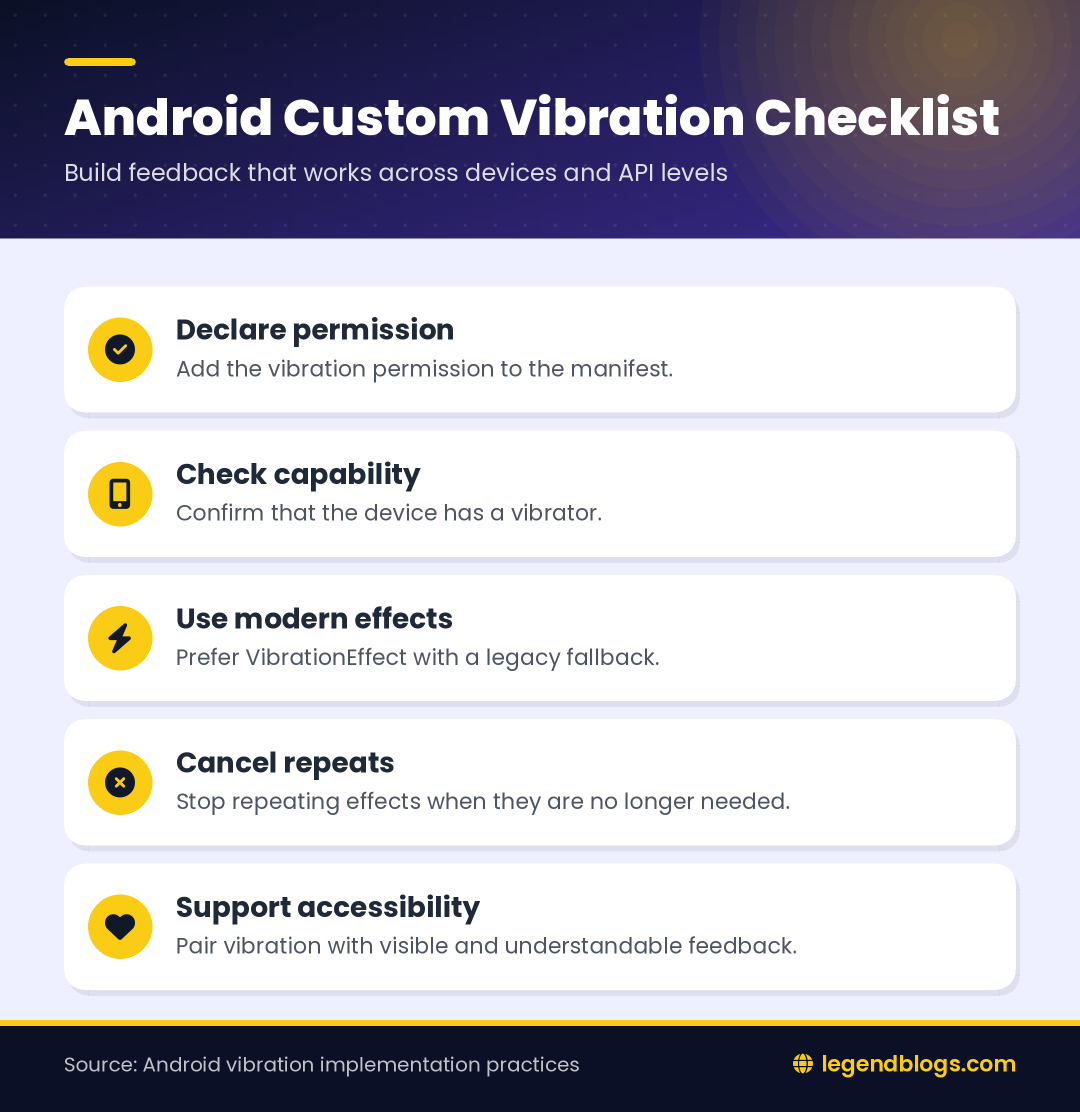
Some devices do not have a vibrator, and some users disable vibration. Obtain the system service and check its capability before calling an effect. A missing vibrator should be treated as a normal capability difference rather than an application failure.
Declare Permission and Get the Vibrator
Manifest declaration
Add the vibration permission to the manifest when the application uses the vibration service.
<uses-permission android:name="android.permission.VIBRATE" />For ordinary vibration effects, this is a normal manifest permission and does not require a runtime permission dialog. You should still explain unexpected or repeated vibration through the interface and respect the user's device settings.
Java and Kotlin service access
Vibrator vibrator = (Vibrator) getSystemService(Context.VIBRATOR_SERVICE);
if (vibrator == null || !vibrator.hasVibrator()) {
    return;
}
val vibrator = getSystemService(Vibrator::class.java)
if (vibrator == null || !vibrator.hasVibrator()) returnDo not keep an Activity reference in a long-lived helper just to access the service. Pass a suitable context or obtain the service close to the point where the effect is needed.
Create a One-Shot Vibration
Modern VibrationEffect example
On API 26 and later, use VibrationEffect to describe the duration and strength of a one-shot effect.
if (Build.VERSION.SDK_INT >= Build.VERSION_CODES.O) {
    VibrationEffect effect = VibrationEffect.createOneShot(
        250,
        VibrationEffect.DEFAULT_AMPLITUDE
    );
    vibrator.vibrate(effect);
} else {
    vibrator.vibrate(250);
}
The duration is expressed in milliseconds. Keep the value short for button confirmation. A large duration can feel like an alarm and may annoy users when triggered repeatedly.
Use a compatibility branch
Older Android releases do not expose the same effect factory methods. Keep the legacy call behind an API check so the application can still run on supported older devices without loading a method that is unavailable at runtime.
Create a Custom Vibration Pattern
Define pauses and active periods
A waveform uses a timing array that alternates between waiting and vibrating. The first value is the initial pause, the next value is the first active period, and the sequence continues in that order.
long[] timings = {0, 120, 80, 240, 120};

if (Build.VERSION.SDK_INT >= Build.VERSION_CODES.O) {
    VibrationEffect effect = VibrationEffect.createWaveform(timings, -1);
    vibrator.vibrate(effect);
} else {
    vibrator.vibrate(timings, -1);
}
The repeat index of -1 means that the pattern runs once. A non-negative repeat index loops from that position, so use repeating effects only for a deliberate alert and always provide a way to stop them.
Control amplitude when supported
Newer APIs can accept an amplitude array alongside the timing array. The device may not reproduce every requested strength, so treat amplitude as a preference rather than a guarantee. A pattern should remain understandable if the hardware simplifies it.
Trigger Vibration from a Button
Keep the click handler small
Resolve the service once during setup, then call a focused helper from the click listener. This makes it easier to test the screen and prevents vibration details from being mixed with unrelated form or navigation code.
private void vibrateConfirmation() {
    if (vibrator == null || !vibrator.hasVibrator()) return;

    if (Build.VERSION.SDK_INT >= Build.VERSION_CODES.O) {
        vibrator.vibrate(VibrationEffect.createOneShot(
            120, VibrationEffect.DEFAULT_AMPLITUDE));
    } else {
        vibrator.vibrate(120);
    }
}
Prevent accidental repetition
Disable a submit button while a network operation is in progress or avoid triggering a new effect on every redraw. Repeated vibration from a rapidly firing listener is distracting and can make a performance issue feel like a hardware problem.
Cancel an Active Vibration
Stop repeating effects
Call cancel() when a repeating effect should stop, such as when a screen is closed or an operation has completed.
if (vibrator != null) {
    vibrator.cancel();
}
Do not cancel an effect belonging to another feature without coordinating ownership. A shared vibration helper should define whether the newest request replaces the previous one or whether callers manage cancellation themselves.
Consider the lifecycle
If a vibration is tied to a temporary Activity or Fragment state, stop it when that state is no longer relevant. A background alert may need a different design, such as a notification, so that the user understands why it occurred.
Vibration UX and Accessibility
Use vibration as an additional signal
Users may have hearing loss, muted devices, or vibration disabled. Pair meaningful effects with visible state changes, accessible labels, and clear messages. Never make vibration the only way to learn that an operation succeeded or failed.
Keep patterns purposeful
- Use short pulses for confirmation.
- Use stronger or repeated patterns only for attention-worthy events.
- Avoid vibrating on every keystroke unless the feature specifically requires it.
- Provide a setting for frequent or optional haptic feedback.
- Test on real hardware because emulators cannot represent every motor.
Common Compatibility Problems
Deprecated calls and API checks
The older vibrate(long) and waveform overloads are useful fallbacks, but modern applications should prefer VibrationEffect when the platform supports it. Put version checks around the API-specific creation code.
Missing imports or service access
Import android.os.Vibrator, android.os.VibrationEffect, android.os.Build, and the required context classes. If the service is null, skip the effect and continue the user flow rather than crashing.
FAQ
How do I vibrate an Android phone programmatically?
Obtain the Vibrator service, confirm that the device has a vibrator, and call a one-shot effect. Use a version check for older Android releases.
How do I create a custom vibration pattern?
Pass alternating pause and vibration durations to createWaveform(). Use -1 as the repeat index for a pattern that runs once.
Does Android vibration require permission?
Add the VIBRATE permission to the manifest. It is normally declared in the manifest rather than requested through a runtime permission dialog.
How do I stop an Android vibration?
Call vibrator.cancel() on the service that started the effect. This is especially important for repeating patterns.
What is the difference between vibration and haptic feedback?
Vibration is a timed motor effect, while haptic feedback is commonly a shorter response associated with a control or interaction. Choose the least intrusive signal that communicates the event.
Conclusion
Android custom vibration is easy to add when the effect is chosen carefully and guarded for device and API differences. Use VibrationEffect on modern Android, retain a safe fallback where necessary, and check the device capability before starting.
Keep feedback brief, cancel repeating effects, and pair vibration with accessible visual communication. That approach gives users useful confirmation without turning ordinary interactions into interruptions.





Write a comment