A thumbnail picture is a tiny representation of an image that helps you learn visually about the original image in a broad way. YouTube's thumbnail is a single frame from the video that informs viewers what the video is really about.
Strong YouTube thumbnails make the subject easy to recognize at a glance and set an honest expectation for the video. The goal is not to decorate every available space; it is to make the topic, visual hierarchy, and channel style clear even when the image appears small.
In most cases, YouTube creates thumbnails on its own and offers a limited number of choices for you to choose from. Custom thumbnails may also be uploaded by YouTube producers. For all of these reasons, it's tough to be successful on YouTube.
Thumbnails for your videos are critical if you want them to be seen in this sea of video material. Your video's thumbnails will determine whether or not a visitor chooses to click on it or scroll past it. You can also add YouTube videos to the website. This helps to grow your platforms and get a reach.
Many times, the destiny of your movies is decided by the quality of their thumbnails. Therefore, to assist you with this competitive aspect, we have curated a set of tips to help you create perfect thumbnails for your YouTube videos. Let’s get started!
7 Powerful Tips to Create Click-worthy YouTube Video Thumbnails
1. Choose the Right Thumbnail Size
Start with the proper size and dimensions if you're going to spend time creating a professional thumbnail. To comply with YouTube's standards, your thumbnail picture should be 1280 x 720 pixels in resolution and at least 640 pixels wide. Check how to Use AI to Generate Trending Video Ideas for YouTube.
A 16:9 aspect ratio is ideal for YouTube players and previews since it's the most popular. Making a thumbnail image that is too small is a grave error. Thumbnail pictures on YouTube search results are tiny, but you can embed YouTube videos if you like.
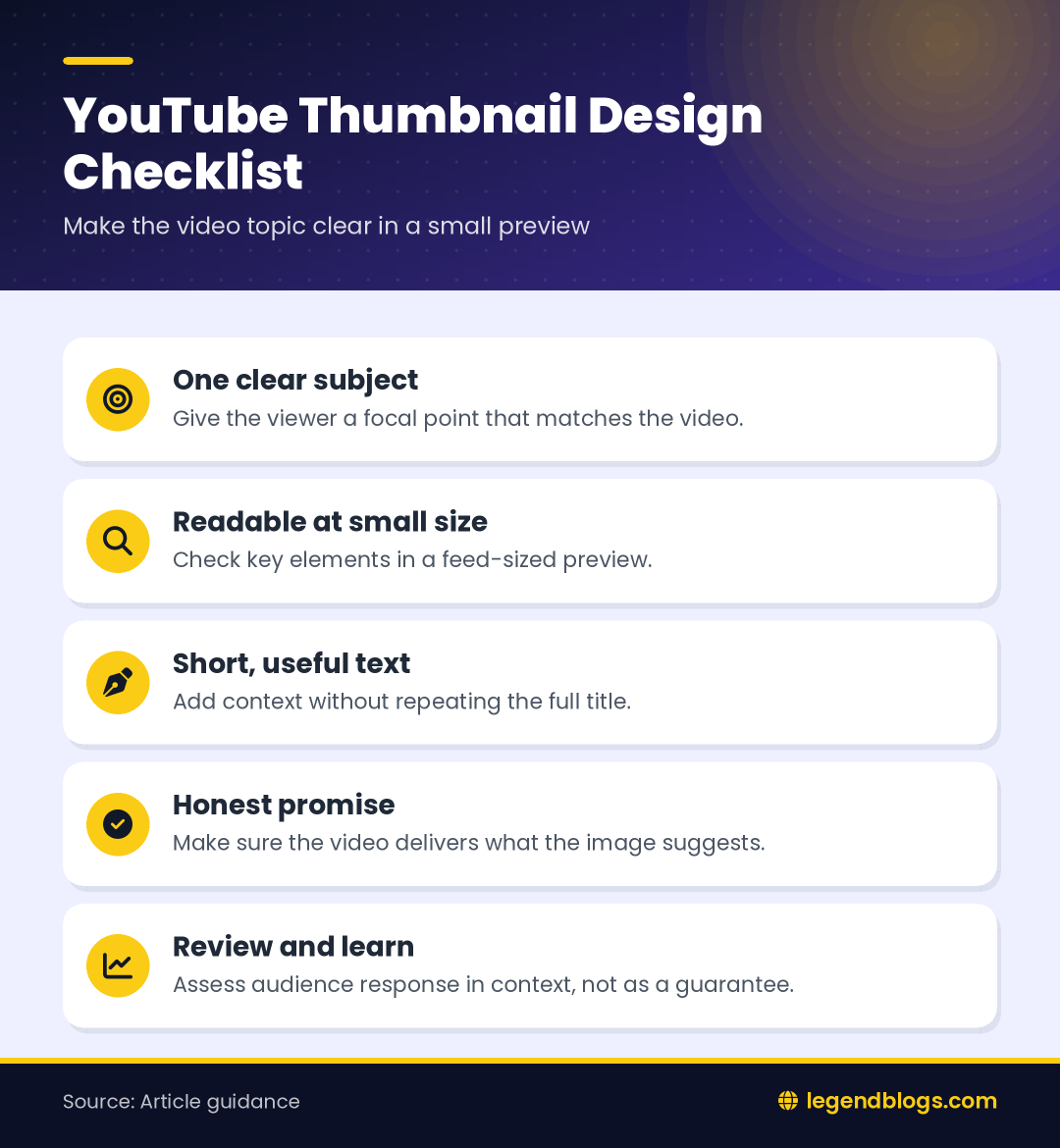
Check how the artwork reads at small sizes
Design on a large canvas, but judge the result at the size people will actually encounter in a feed. Reduce the design to a small preview and check whether the main subject and any short text remain understandable. If details disappear, simplify the layout rather than adding more outlines, badges, or decorative elements.
Leave a little breathing room around faces, objects, and lettering. Keep important details away from the edges, where crops or interface overlays may compete for attention. Export a clean version and inspect it on both a phone-sized screen and a desktop display before using it.
Tubebuddy extension for chrome android with Complete Guide
Certain screens may seem pixelated and hazy if you use a low-resolution picture. 1280 by 720 pixels isn't simply any random resolution that they've selected. HD video (even though it's at the lowest threshold of what's recognized as HD video) in the 720p format is often the default resolution for viewing.
2. Portray your Video Accurately
With only one look at your video thumbnail, a viewer should have no doubts regarding its subject matter or tone of voice. Many times, a short look at your thumbnail is all it will receive while someone searches through hundreds of movies to decide which one to watch.
You risk losing viewers if your thumbnail confuses them and makes it difficult for them to quickly connect it to the video's subject matter.
Build a clear visual hierarchy
Choose one primary subject and make it the first thing the eye notices. A strong hierarchy might use a close-up image, a contrasting background, and a short label that adds context. Avoid several competing focal points; when everything is emphasized, the viewer has no clear path through the design.
Contrast should support legibility, not create visual noise. Separate foreground and background with differences in brightness, color, or depth, and check that the text remains readable for viewers who may have difficulty distinguishing some colors. A simple thumbnail can be more effective than a crowded composition because its main idea survives at a glance.
So when looking for tips about how to make a thumbnail, portraying your video accurately through thumbnails is one of the top pieces of advice you should keep in mind.
3. Include Branding through Logos
Like we said before, thumbnails provide you with a chance to improve your visual identity. Include your company's emblem and stick to the same colour palette and style throughout. This will help your material stand out from the rest of the pack.
You can use a tool like InVideo to create a logo for your brand and include them in your videos. This ensures a consistent branding approach throughout your online presence which enhances your brand’s recall.
4. Only Deploy Relevant Pictures
When designing thumbnails using a YouTube thumbnail generator, one important guideline to follow is never to utilize an image that has nothing to do with your channel or video content.
We also have an inbuilt YouTube thumbnail generator at our website. You can try it.
As you can see, branding is critical to the long-term success of visual social media marketing on platforms like YouTube.
You'll lose customers if your thumbnail leads them to believe that the video you've linked to has valuable information but doesn't (and may never return to your channel). Your thumbnail style should be consistent throughout your whole YouTube channel.
5. Include Trendy Annotations in your Thumbnails
Including a title in your thumbnail will give your thumbnail more value, regardless of how attractive your backdrop image is. For starters, it will give the story a clearer perspective. Your video's thumbnail, for example, should make it clear if your video is instructional.
They provide enough information about the videos' content without seeming clumsy. When creating thumbnails, your goal is to make a strong first impression while still conveying key information.
Use text as a label, not a transcript
Thumbnail text should add a useful clue that the image alone cannot communicate. It may name a comparison, a result, or a question, but it should not repeat a long video title word for word. Choose a short phrase, use a typeface that stays readable at small sizes, and give the lettering enough separation from the background.
Once a viewer clicks, the video itself has to deliver the promise made by the image. Review YouTube analytics tools alongside audience retention and feedback to understand whether the thumbnail and video are working together.
Keep the wording consistent with the actual video. If the thumbnail promises a test, answer, or reveal, make sure the video delivers it. Accurate framing helps viewers decide whether the video is relevant and supports trust in the channel over time.

As a result, choose legible typefaces with plenty of contrast. Use numbered thumbnail headlines if you have a collection of videos.
6. Don’t Deploy Clickbait Tactics
Using deceptive headlines and pictures in thumbnails to entice visitors is a bad idea with the opposite effect. In addition to driving away viewers, YouTube will penalize your video for having a high bounce rate.
It's possible that your search engine rankings may be lowered as a result of using the platform. Use a related stock picture or the best frame from your video as a thumbnail if you're low on ideas.
It'll provide viewers context and protect your company's image. If your material is of high quality, it will ultimately get traction. Everything will work out if you just wait patiently and keep trying.
Use a repeatable style without making every image identical
A small set of recurring design choices can make a channel recognizable: a limited palette, one or two type styles, and a consistent approach to subject placement. Use those elements as a framework, not a template that forces every video into the same composition. The thumbnail should still reflect the specific topic and tone of each upload.
Keep a source file or reusable design template so you can make revisions without rebuilding from scratch. Store approved logos and brand elements in one place, and check that any photos or graphics are yours or appropriately licensed. A consistent process makes production easier while helping prevent accidental use of unsuitable assets.
7. Add Video Title to your Thumbnail
Add titles to your thumbnails to make your videos easier to find while people are searching. In addition to attracting the attention of people searching for one of your particular subjects, if your title style remains the same, the titles will allow your fans to easily recognize your videos. Make good YouTube thumbnail will leads to increase your engagement
Keep the text to a minimum, though. Even a few words may significantly increase the number of people who see your video. Don't use more than one short title in your post. Adding a clear subtitle underneath it in smaller font to make your point is all you need to do if the situation calls for it.
Review performance as a learning signal
After publishing, compare thumbnail performance with the video’s topic, audience, and traffic source. A click-through measure can help you spot a design that may be unclear, but it does not explain the whole viewing experience by itself. Consider whether viewers continue watching and whether the thumbnail accurately represented the content.
If you test alternatives, change a limited number of design elements and keep the promise of the video consistent. Avoid drawing conclusions from a tiny or uneven sample. Use what you learn to improve the next design, and do not treat any single thumbnail style as a guaranteed way to gain views.
Conclusion
Thumbnails on YouTube are very important. Videos may be made or broken by the way they're edited. They may help your channel rank higher in search results and support your branding initiatives. Use this post's advice, examples, and tools to take the guessing out of creating thumbnails and come up with some really effective ones.







Write a comment