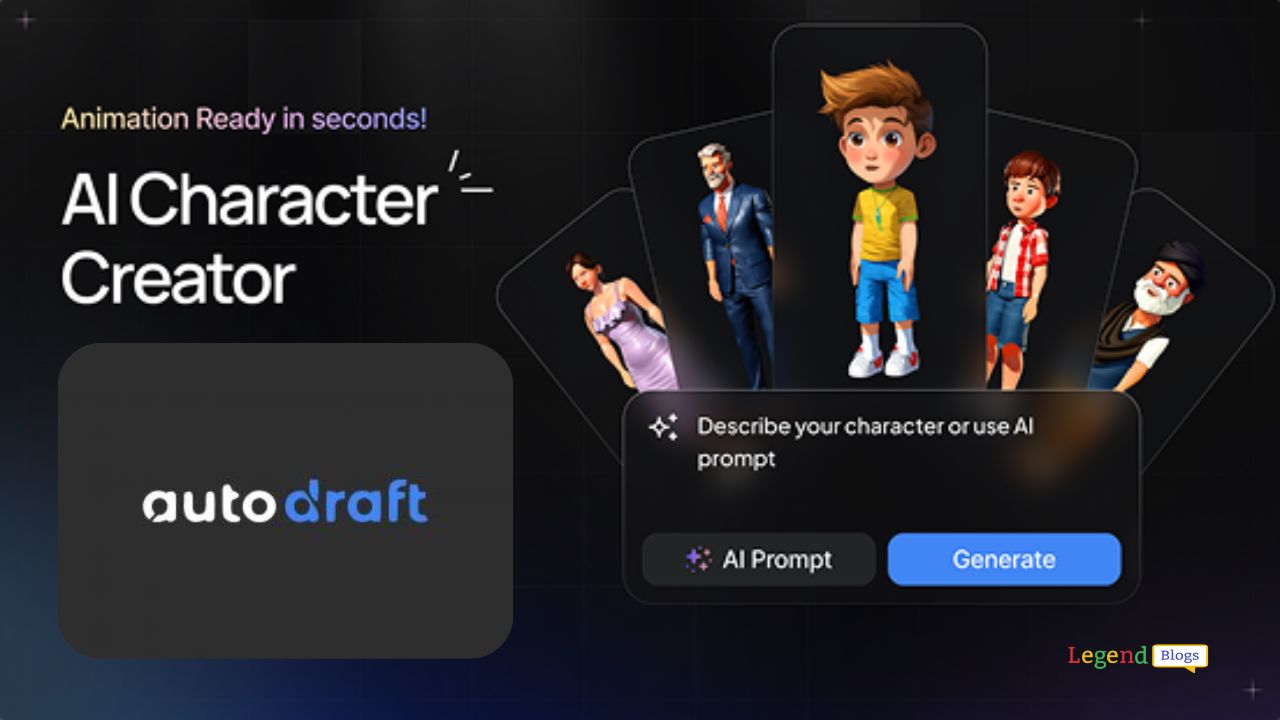
Autodraft AI is changing how creators make animated videos: it turns short text prompts and simple ideas into polished 2D animations, ready for upload in high resolution. If you want to produce eye-catching 4K animation without hiring an animator or learning complex software, Autodraft AI can speed up production while keeping creative control in your hands.
In this guide we'll walk through everything — how Autodraft AI works, how to make 4K videos that look professional, how to prepare them for YouTube monetization, best practices, pros and cons, and actionable tips to start earning from your animations.
Autodraft AI: What it is and why 4K animations matter
Autodraft AI is an online AI animation platform that helps creators generate characters, backgrounds, voiceovers and full scenes from text prompts and templates. It’s built for creators who want to make polished 2D animations quickly — including formats suitable for YouTube. The platform highlights ease-of-use features like an AI character generator, templates, and cloud render/download options.
Why 4K matters: viewers notice sharper visuals and creators benefit from higher perceived quality. For animation, 4K helps text, small details and backgrounds look crisp on big screens, and it also allows flexible repurposing (cropping for vertical shorts, zoom-ins, etc.) without losing quality.
Autodraft AI key features (including 4K support)
Autodraft’s feature set is designed to cover the common pain points in animation production:
- AI Character Generator & Character Toolkit: create consistent character art and animations from text prompts. Character toolkit.
- Templates and Styles: many ready-to-use templates and art styles to speed up production. Templates.
- 4K Cloud Downloads: Autodraft advertises 4K cloud downloads (depending on the plan), which lets creators export high-resolution animations for YouTube. See pricing/features for details. Pricing & 4K info.
- Built-in voiceovers & editing: generate or upload voiceovers, sync to animation and do in-browser edits so you can finish videos faster.
Users on platforms like Product Hunt and creator reviews note Autodraft’s push toward accessible 4K animation, making it possible for small teams or solo creators to publish professional-looking content quickly.
How to create 4K animations with Autodraft AI — step by step
This is a practical workflow you can follow to produce a 4K YouTube-ready animation.
- Plan the idea & script
- Decide format (story, explainer, nursery rhyme, educational).
- Write a concise script with scene breaks. A clear script saves time in animation and voice direction.
- Create characters & style
- Use Autodraft’s AI character prompts to make characters that fit your story. Adjust style presets for consistent look. Character toolkit.
- Build scenes from prompts
- Convert script segments into scene prompts (describe background, mood, camera angle, actions). Autodraft can generate the animated scene from text and templates.
- Record or generate voiceover
- Use the built-in AI voice or upload a human narration. For monetization and originality, custom or edited voiceover is recommended.
- Assemble & edit
- Use Autodraft’s editor to arrange timing, lip-sync, and transitions. Trim for rhythm and pacing — 4K visuals should match a tight edit, especially for longer videos.
- Export in 4K
- Choose 4K export/download. If your plan includes cloud 4K downloads, use it to get final high-resolution files ready for YouTube upload. Check plan details.
- Optimize for YouTube
- Add subtitles, finalize thumbnail, write SEO-friendly title/description, and set tags (we’ll cover SEO later).
Autodraft publishes tutorials and live sessions that show similar workflows — watching a short demo helps understand the timing, templates and available controls.
Preparing your Autodraft AI videos for YouTube monetization
YouTube’s rules and the platform’s evolving stance on AI-generated content mean you must plan uploads carefully.
Eligibility basics (what YouTube expects)
YouTube’s Partner Program (YPP) eligibility includes thresholds and content rules. The official guidance and program pages explain current targets and options for creators — these pages are the authoritative source for up-to-date thresholds and application steps. YouTube Creator - Partner Program.
Note: YouTube periodically updates how it screens content for monetization eligibility and has clarified it will continue to allow AI-assisted content when the creator adds originality and authentic value. Recent platform clarifications emphasize that low-effort or mass-produced AI content that lacks originality may be ineligible. YouTube monetization policies.
Practical checklist before submitting to YPP
- Originality: Add unique scripting, creative edits, human commentary or novel combinations of AI assets.
- Rights & licenses: Make sure any music or assets used are licensed or royalty-free.
- Avoid reused-content pitfalls: Don’t publish repetitive compilations of stock clips; ensure each video contributes new value. YouTube reused content guidance.
Podcasts and blog explainers on AI monetization emphasize that AI is a tool — videos where AI “did everything” without meaningful creator input are more likely to be flagged as low-effort. Use AI to speed production but inject creative intent, commentary, or edits that reflect your voice.
Best practices to avoid monetization and copyright issues
- Use original scripts or significant edits: Write or heavily adapt script content.
- Use licensed/royalty-free music: If Autodraft offers asset libraries, verify licenses on exports and keep records. Autodraft pricing & asset notes.
- Record or edit voiceovers for uniqueness: A custom voice performance, even a short intro/outro, signals creator effort.
- Add context or commentary: When content is generated by AI, adding a creator narration, analysis, or behind-the-scenes breakdown improves originality.
- Keep edit logs and source files: If YouTube asks questions, being able to show your creative process helps.
Examples and video ideas you can produce with Autodraft AI
Autodraft is versatile — here are formats that tend to do well on YouTube:
- Children’s rhymes & animated stories — short, colorful 4K animations for kids (ensure all music and lyrics are original or licensed). Autodraft has templates for nursery rhymes and kid content.
- Explainers and educational shorts — animated explainers that simplify a concept, perfect for monetized educational channels.
- Animated listicles or top-5 videos — visually engaging, combining dynamic character scenes with narration.
- Branded shorts and teasers — export 4K, crop for vertical formats and repurpose across platforms.
- How-to & tutorial animations — teach software, creative skills or soft skills with clear animated steps.
Real creators and community videos show that with the right thumbnails and SEO, Autodraft animations can gain traction quickly — especially if content is niche and solves a specific need.
Autodraft AI vs other animation options (comparison)
Here’s a simple comparison to help you pick the right tool for your goals.
| Feature / Tool | Autodraft AI (AI-first) | Traditional (Blender/After Effects) | Other AI tools |
|---|---|---|---|
| Speed to prototype | Very fast | Slow (manual keyframes) | Fast |
| Skill required | Low | High | Low–medium |
| 4K export | Supported (cloud) | Supported | Varies |
| Customization depth | High for style presets, lower for frame-by-frame control | Very high | Varies |
| Cost | Subscription-based (plans) | One-time or subscription + learning time | Subscription-based |
Autodraft focuses on combining speed, templates and AI character generation — it’s ideal for creators who value fast turnaround and consistent style. Traditional tools give total control and are preferred for complex, frame-by-frame animation or VFX-heavy projects. Comparisons and tool reviews by AI training sites corroborate Autodraft’s positioning as a fast 4K-first AI animation platform.
Pros & cons of using Autodraft AI for YouTube monetization
Pros
- Quick production cycles — produce more videos faster.
- 4K export options let your channel present high-quality visuals.
- Lower technical entry barrier — no need for complex animation skills.
Cons / Challenges
- Risk of “generic” feel if you rely solely on default templates — add your creative signature.
- Potential costs for higher-tier plans and 4K downloads.
- YouTube policy updates emphasize originality; mass-produced AI content without added value risks demonetization. Recent clarifications from YouTube and news outlets highlight this.
YouTube monetization strategies beyond ads
While ads are the most common revenue source once you’re in YPP, diversify income streams to stabilize earnings:
- Channel memberships & Patreon — exclusive content for supporters.
- Sponsorships & product deals — animated sponsored shorts or brand explainers.
- Affiliate marketing — explainers and review videos with affiliate links in descriptions.
- Merch & digital downloads — sell wallpapers, character packs, or printable art based on your animations.
YouTube’s partner pages outline how creators unlock different monetization features and revenue streams.
Quick SEO checklist for Autodraft AI videos (YouTube)
- Use the focus keywords naturally: Autodraft AI, 4K animation software, YouTube monetization in title, description and tags.
- Craft an eye-catching thumbnail with high contrast and readable text.
- Add accurate timestamps, chapters, and a clear description with links to your site or merch.
- Upload SRT captions and localized captions to increase discoverability.
- Promote across social media and repurpose 4K into vertical shorts or clip highlights.
Autodraft AI — Pricing Comparison
Here’s a pricing table for Autodraft AI based on public info. Note: prices & features may change, so always double-check on the official site. *Prices shown are monthly subscription rates. There may be discounted annual plans.
| Plan | Price / Month* | Credits or Usage | Key Features |
|---|---|---|---|
| Starter / Free | $0 | ~ 20 credits | Basic access: try character/background/ voice-over generation; limited templates; good for experimenting with Autodraft AI. |
| Base | $10 / month | ≈1,000 credits / mo | Everything in Free plus much more: AI Voice & Video generation, AI Character Generator, 4K cloud downloads, premium assets, voice cloning, sound effects, thumbnail maker, etc. |
| Pro | $35 / month | ≈4,000 credits / mo | All Base features + greater credit allowance, more usage per month. |
| Enterprise / Custom | Custom pricing | Custom credits & usage | Includes everything Pro has, plus priority support, custom model training, enterprise onboarding, workspace analytics and other team / organization-level features. |
Frequently Asked Questions (FAQs)
Q: Can I monetize AI-generated animations on YouTube?
A: Yes — but monetization depends on originality and compliance. YouTube allows AI-assisted content, provided the creator adds meaningful original value and follows copyright and community policies. Recent platform updates clarify that AI tools are acceptable when used to create authentic content.
Q: Does Autodraft AI support true 4K export?
A: Autodraft advertises 4K cloud downloads in its plans. Check the specific subscription tier for unlimited or per-month 4K credits.
Q: Will using Autodraft AI create copyright problems?
A: Not if you use licensed music, original scripts, and Autodraft-provided assets that are cleared for commercial use. Always confirm licenses for assets and keep records. YouTube’s reuse/reupload policies apply as usual.
Q: How much does Autodraft AI cost?
A: Plans vary; Autodraft lists free and paid tiers with different credits and download allowances — see their pricing page for current plans and 4K credits.
Q: What type of videos perform well with AI animation?
A: Short stories, educational explainers, children’s content (with proper licensing), and niche explainers often perform well — especially if optimized with strong thumbnails and SEO.
Conclusion
Autodraft AI gives creators a fast and accessible path to making high-quality 4K animations. The platform’s character tools, templates and 4K cloud exports make it possible to produce professional results without heavy training. For YouTube monetization, the golden rule remains the same: use AI as a tool, not a shortcut.
Add original scripts, custom edits, human voiceovers or commentary, and clear licensing for assets — that’s how you keep your content monetizable and safe from reuse flags. If you combine Autodraft’s speed with smart SEO, consistent uploads, and diversified monetization strategies, you have a realistic path to building and monetizing an animated channel.





Write a comment