In the given example we will learn how to calculate the difference between two dates in java in terms of Second/ Minutes / Hours / Days.
public int getDateDiffFromNow(String date){
		int days = 0;
		try{
			SimpleDateFormat sdf = new SimpleDateFormat("yyyy-MM-dd", Locale.getDefault());
			long diff = new Date().getTime() - sdf.parse(date).getTime();
			long seconds = diff / 1000;
			long minutes = seconds / 60;
			long hours = minutes / 60;
			days = ((int) (long) hours / 24);
			Log.i(TAG, "Date "+date+" Difference From Now :"+ days + " days");
		}catch (Exception e){
			e.printStackTrace();
		}
		return days;
}
Call this function:
String old_date =  "2016-11-05";
getDateDiffFromNow(old_date)Output
Date 2016-11-05 Difference From Now : 732 daysWhat Is Java Date Difference?
Elapsed time versus calendar dates
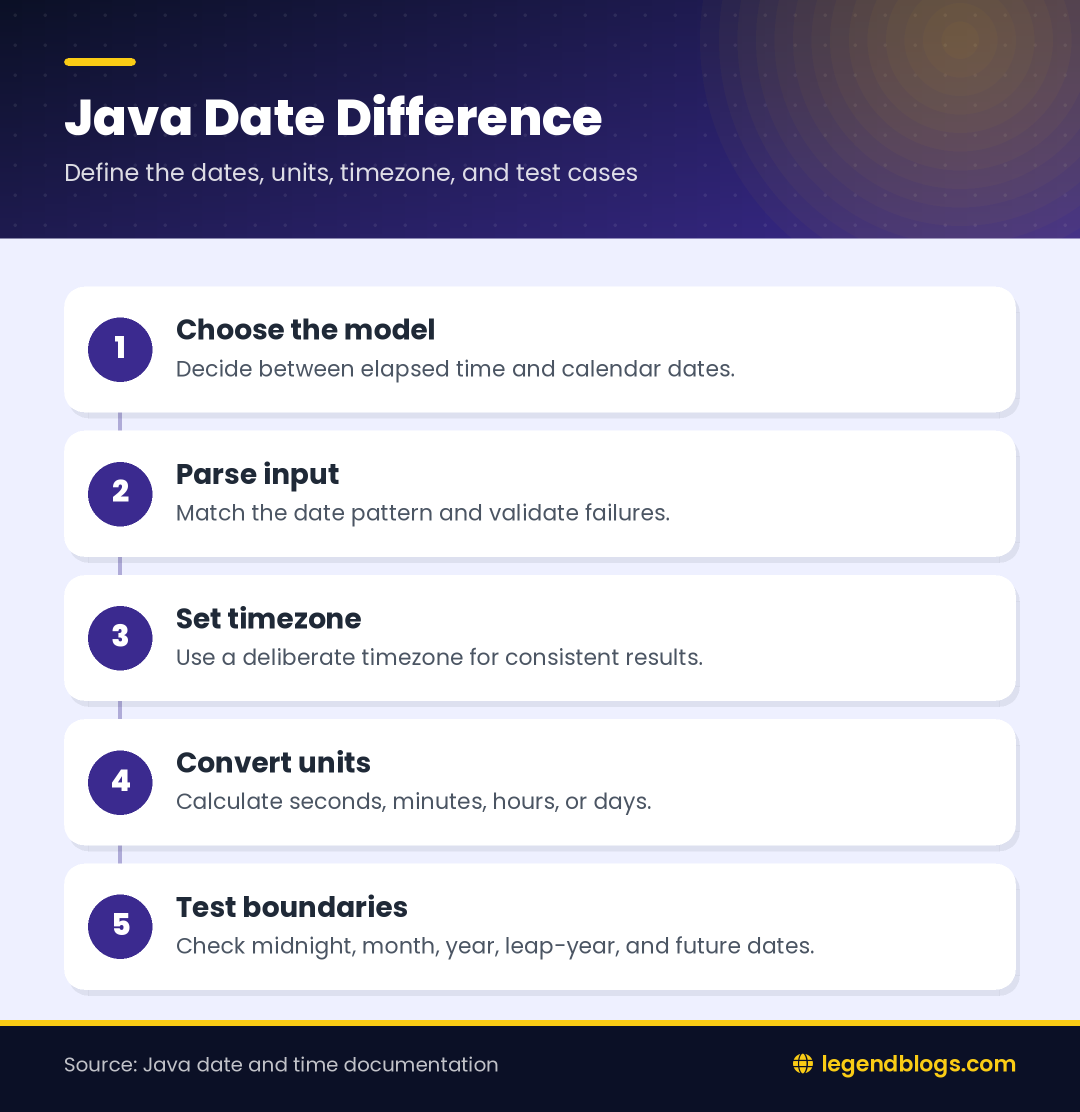
Java date difference can mean two related things. You may want the exact elapsed duration between two timestamps, or you may want the number of calendar days between two date labels. Those results can differ around midnight, timezone changes, and daylight-saving transitions.
Choose the required unit
Before writing code, decide whether the result should be seconds, minutes, hours, complete 24-hour periods, or calendar dates. The existing example calculates the elapsed milliseconds between the parsed date and the current time, then converts that value into larger units.
Understand the Existing SimpleDateFormat Example
Match the input pattern
The example uses the pattern yyyy-MM-dd, so a value such as 2016-11-05 can be parsed. The pattern is not a guess: yyyy represents the year, MM the two-digit month, and dd the day of the month. A different input format requires a matching pattern.
Parsing can fail
SimpleDateFormat.parse can throw an exception when the text is invalid or does not match the expected pattern. The original method catches the exception and returns the initial day value. In production code, consider returning an explicit error or using a result type so invalid input is not confused with zero days.
Calculate the Difference in Milliseconds
Start with a time difference
Date and time objects can be converted to a millisecond representation. Subtract the earlier timestamp from the later timestamp, then convert the result to the unit your interface needs. Keep the subtraction order consistent so a future date does not silently appear to be in the past.
Decide how to handle a negative result
A negative difference is meaningful when the first date is later than the comparison date. You can preserve the sign, take an absolute value when only distance matters, or reject future dates when the business rule expects an old date. Choose explicitly rather than hiding the sign by casting.
Calculate Seconds, Minutes, and Hours
Use clear conversions
One second contains 1,000 milliseconds, one minute contains 60 seconds, and one hour contains 60 minutes. Converting in stages makes the code readable, but integer division discards a partial unit. If the interface needs fractions, use a floating-point result or a duration API.
Do not cast too early
The original code casts the calculated hours to an integer before dividing by 24. That is appropriate when the method promises complete days, but it would lose partial hours. Decide whether rounding, truncation, or a precise duration is required.
Calculate Difference in Days
Complete 24-hour periods
Dividing elapsed hours by 24 gives complete 24-hour periods. A timestamp late at night followed by a timestamp early the next morning may be a new calendar day but less than 24 hours apart. This distinction matters for age, billing, booking, and reminder features.
Date-only comparisons
If the requirement is “how many calendar dates apart,” normalize both values to a consistent date representation and timezone before comparing them. Do not use the device’s current time when the input represents a date without a time unless that is the intended behavior.
Handle Today and Future Dates
Return zero deliberately
For a date that represents today, the result may be zero complete days. Document whether today means a zero duration, an active day, or a special display such as “Today.” Presentation rules should not be hidden inside a low-level calculation.
Validate future input
If the screen accepts only previous dates, reject a future value with a clear message. If reminders or countdowns are supported, preserve the positive future duration and label it as time remaining instead of calling it an age or elapsed period.
Timezone and Locale Problems
SimpleDateFormat uses a timezone
A formatter interprets date text in a timezone. If no timezone is assigned, the environment’s default is used, which can vary between devices and servers. Set the intended timezone when the date has a known source timezone, and keep that choice consistent for both parsing and comparison.
Locale affects parsing and display
The existing code passes Locale.getDefault(). For a numeric pattern this may be adequate, but text month names and localized output need a deliberate locale. A device setting should not unexpectedly change how a stored date is interpreted.
Improve Legacy Android Date Code
Keep old examples understandable
SimpleDateFormat remains common in older Android code and explains the original method clearly. It is not thread-safe when one formatter instance is shared across threads, so create it for the operation or protect shared access.
Consider java.time for newer projects
Modern Java date and time classes provide clearer types for instants, local dates, zones, and durations. On Android, check the project’s minimum API and desugaring configuration before selecting an API. A LocalDate is often a better model for a date without a time, while an instant is appropriate for a timestamp.
Format a Human-Readable Result
Separate calculation and wording
A calculation method should return a numeric duration or structured result. Another layer can turn it into “2 days,” “3 hours,” or a localized message. This keeps business logic testable and avoids hard-coding English grammar in date arithmetic.
Handle singular and plural units
Use the correct label for one and many units. If a duration includes days and hours, decide whether to show only the largest unit or a combined result. A consistent display is easier to understand than a long list of rounded numbers.
Test Date Calculations
Use boundary cases
- Two identical dates.
- A date one second apart.
- A date crossing midnight.
- The final day of a month.
- A year boundary.
- A leap-year date.
- A future date and an invalid date.
- Devices using different timezones.
Test the source format
Check leading zeros, invalid days, whitespace, empty text, and unexpected separators. A method that works for one hard-coded date may still fail when the value comes from a form, database, or API.
FAQ
How do I calculate the difference between two dates in Java?
Parse both values with a matching formatter, subtract the timestamps in a defined order, and convert the difference to the required unit. For date-only calculations, compare normalized calendar dates instead of current time values.
How do I find the difference in days?
For elapsed days, convert the time difference into complete 24-hour periods. For calendar-day differences, normalize both dates to the same timezone and compare the date values according to the application’s rule.
Why is my date difference one day off?
Common causes include timezone conversion, daylight-saving changes, parsing a date at midnight in the wrong zone, and confusing calendar days with complete 24-hour periods.
How do I calculate date difference in Android?
The existing SimpleDateFormat approach can work in older Android projects. For newer projects, consider java.time classes when the project’s API and desugaring setup support them.
Should I use SimpleDateFormat or java.time?
Use SimpleDateFormat when maintaining compatible legacy code and java.time when the project supports modern date types. In both cases, define the input format, timezone, and desired result before calculating.
Conclusion
Java date difference calculations become reliable when you distinguish elapsed duration from calendar-day comparison. Parse the input with the correct pattern, define the timezone, preserve or reject negative values intentionally, and choose the right unit.
The original method is a useful starting point for older Android code. Strengthen it with validation, boundary tests, clear output rules, and modern date APIs where the project supports them.
Choose the Right Comparison Model
Compare instants for events
Use timestamp-style values when the question concerns when an event happened, such as a message age or a download time. Store the source zone or normalize events to a shared zone before calculating so two devices do not interpret the same text differently.
Compare local dates for schedules
Use date-only values when the question concerns a birthday, due date, or recurring calendar entry. A date without a time should not accidentally inherit the current clock time and become a different day after deployment.
Final Implementation Review
Review the method’s contract before releasing it: define accepted input, timezone, sign, rounding, invalid-date behavior, and display unit. These decisions are part of the feature, not minor formatting details.
Use a Stable Test Clock
Avoid changing results during tests
The original method compares with new Date(), so its output changes every moment. For repeatable tests, pass the comparison time into the method or use a controllable clock abstraction. Then the same input can be checked against a fixed reference and the expected result remains stable.
Keep logging separate
Logging is useful while checking a date calculation, but the reusable method should return a result rather than depend on log output. The caller can decide whether to show, store, or record the calculated difference.







Write a comment