
Finding the largest value in a list is a common PHP task in scoreboards, reports, price comparisons, measurements, and validation routines. This guide shows how to find the largest number PHP array contains, beginning with the built-in max() function and then building the same logic with a loop.
The short example often used for this problem initializes the maximum value to zero and calculates a second value at the same time. That approach works for the sample containing positive integers, but it can return a wrong answer when the array contains only negative numbers, decimals, duplicates, or values supplied as strings.
You will learn how to validate input, find the second-largest distinct number, preserve the key associated with the maximum, and choose between a scan and sorting. The examples are intentionally small, but the decisions apply to larger application code as well.
1. Find the Largest Number in a PHP Array
1.1 The basic problem
Suppose an array contains scores such as 20, 18, 95, 45, and 48. The largest value is 95 because it is greater than every other member. The array may be indexed from zero, but the index is not the value being compared.
1.2 Start with the simplest correct tool
PHP provides max() for finding the highest value in an array. It communicates the intention clearly and avoids writing a comparison loop when no extra information is required.
1.3 Basic example
For a known non-empty numeric array, the direct form is:
$numbers = [20, 18, 95, 45, 48];
$largest = max($numbers);
echo $largest; // 95
The result keeps the type of the value that wins the comparison. Keep the input values consistently numeric so PHP does not have to compare unrelated types.
2. Use PHP’s max() Function
2.1 Pass the array as one argument
Use max($array) when the values are already collected in an array. You can also pass several individual values, but the array form is usually easier to read when data comes from a loop, database query, or request transformation.
2.2 Guard an empty array
An empty array does not have a largest number. In current PHP versions, calling max() with an empty array raises a ValueError, so validate the input before calling it:
$numbers = [];

if ($numbers === []) {
    echo 'No numbers were supplied.';
} else {
    echo max($numbers);
}
Returning null, a message, or a domain-specific exception may be more appropriate than printing a message. Choose the behavior expected by the calling code.
2.3 Keep values comparable
Do not mix integers, numeric strings, booleans, and ordinary text unless you have explicitly decided how they should be converted. PHP comparison rules can produce surprising results when values have different types. Normalize input before finding a maximum.
3. Find the Maximum with a foreach Loop
3.1 Track whether a value has been seen
A loop is useful when you need validation, custom filtering, a matching key, or a result that cannot be expressed by max() alone. Do not initialize the maximum to zero just because zero is convenient. Use a separate flag or initialize from the first valid value.
$numbers = [20, 18, 95, 45, 48];
$largest = null;

foreach ($numbers as $number) {
    if (!is_int($number) && !is_float($number)) {
        continue;
    }

    if ($largest === null || $number > $largest) {
        $largest = $number;
    }
}

if ($largest === null) {
    echo 'No numeric values were supplied.';
} else {
    echo $largest; // 95
}
3.2 Why this handles negative values
If every number is negative, starting at zero would make zero look like the maximum even though zero is not in the array. The null sentinel above is replaced by the first accepted numeric value, so an input such as [-8, -3, -12] correctly produces -3.
3.3 Normalize numeric input first
If values come from form fields or CSV data, decide whether numeric strings are allowed and convert them deliberately. A strict application might reject malformed values; another might convert them to integers or floats after validation. Do not silently turn an empty string into a meaningful score.
4. Why Starting at Zero Can Produce a Wrong Result
4.1 The common shortcut
The original style of code often declares $max1 = 0 and $max2 = 0, then compares every array item against those variables. With positive values, this appears to work. It is not a general maximum algorithm.
4.2 All-negative input
For [-10, -4, -22], every number is less than zero. A maximum initialized to zero remains zero, even though zero is absent from the input. This is a correctness bug, not merely a formatting issue.
4.3 Empty input and invalid input
There is no legitimate maximum for an empty list, and a list containing invalid text needs a defined policy. Make the contract explicit: reject invalid values, skip them with a warning, or return a structured error. The right choice depends on whether the data is user input, internal data, or a trusted calculation.
5. Find the Second-Largest Number
5.1 Define what second-largest means
There are two common meanings. The second-largest value may mean the second position in descending order, which can equal the maximum when the maximum appears twice. It may instead mean the second-largest distinct value, which must be lower than the maximum.
5.2 Find two distinct values in one pass
The following loop keeps the largest and second-largest distinct numeric values:
$numbers = [20, 18, 95, 45, 48];
$largest = null;
$secondLargest = null;

foreach ($numbers as $number) {
    if (!is_int($number) && !is_float($number)) {
        continue;
    }

    if ($largest === null || $number > $largest) {
        $secondLargest = $largest;
        $largest = $number;
    } elseif ($number < $largest
        && ($secondLargest === null || $number > $secondLargest)) {
        $secondLargest = $number;
    }
}

echo 'Largest: ' . ($largest ?? 'none') . PHP_EOL;
echo 'Second distinct: ' . ($secondLargest ?? 'none');
5.3 Duplicates and insufficient values
For [95, 95, 48], the second distinct value is 48. For [95, 95], there is no second distinct value, so the result should remain null or use the error behavior defined by your application. Do not print a made-up zero for a value that was never present.
6. Handle Empty and Invalid Input
6.1 Validate the container
Check that the input is an array before iterating or calling max(). A function with a declared array parameter can reject other types early, while a public endpoint may need to return a validation response instead.
6.2 Decide how to treat numeric strings
Values such as '95' often arrive from HTTP requests as strings. If the application accepts them, validate with an appropriate numeric rule and convert them before comparison. A value such as '95 points' should not quietly enter a numeric calculation.
6.3 Return a useful result
A reusable function should return a value or a predictable failure representation rather than echoing directly. That lets a controller, template, command-line script, or test decide how to present the result.
7. Work with Decimal and Numeric String Values
7.1 Decimal values
PHP floats are useful for many measurements, but binary floating-point representation can produce small precision differences. If the values represent money, store and compare integer minor units such as cents where practical, or use a decimal strategy designed for financial calculations.
7.2 Numeric strings
Convert numeric strings deliberately:
$raw = ['20', '18', '95'];
$numbers = array_map('intval', $raw);
$largest = max($numbers);
This example is appropriate only when integer conversion is what the input contract requires. For decimal input, use a suitable conversion and reject malformed values instead of relying on loose comparisons.
7.3 Mixed values
Arrays containing ordinary words, booleans, null values, and numbers should be cleaned before max(). PHP compares different types using rules that may not match the business meaning of your data. A clear normalization step is safer than relying on implicit conversion.
8. Find the Key of the Largest Value
8.1 Associative arrays
max() returns the highest value, not its key. If the array maps names to scores, calculate the maximum and then find the matching key:
$scores = [
    'Asha' => 82,
    'Ravi' => 95,
    'Mina' => 90,
];

$highest = max($scores);
$winner = array_search($highest, $scores, true);

echo $winner . ': ' . $highest;
8.2 Duplicate maximum values
array_search() returns the first matching key. If ties matter, use array_keys() with the maximum value to collect every matching key:
When several records share the maximum, decide whether the application should return the first winner or every tied key. That decision should be part of the function contract rather than an accidental result of array_search().
$topScore = max($scores);
$topPlayers = array_keys($scores, $topScore, true);
8.3 Preserve the original key during a loop
A foreach loop can track both key and value while applying custom rules. This is often clearer when invalid records should be skipped or when the result needs additional information from the winning record.
9. Sorting Versus Scanning the Array
9.1 Use max() for a direct maximum
When all you need is the highest value, max() is concise and expresses the intent directly. It avoids changing the original array just to discover one result.
9.2 Sort when you need an ordered list
Use sorting when the application needs a complete ranking or several ordered positions. Remember that sorting may change the original array and can discard or rearrange keys depending on the chosen function. Copy the data first when the original order matters.
9.3 Scan when extra information is needed
A single loop can find the maximum, its key, the second distinct value, and validation errors in one pass. It is a good fit when the business rule is more detailed than “return the highest comparable value.”
10. Practical PHP Examples
10.1 Highest score
$scores = [72, 88, 91, 84];
$highestScore = max($scores);
Before displaying the result, decide how an empty score list should behave. A report might show “no scores,” while a validation service might return an error object.
10.2 Highest product price
For prices, do not compare formatted strings containing currency symbols or thousands separators. Convert trusted input to a consistent numeric representation first, and keep display formatting separate from calculation.
10.3 Largest measurement
When measurements have units, normalize them before comparison. Comparing 2 meters with 150 centimeters as raw numbers produces the wrong business result unless both values are converted to the same unit.
11. Common PHP Array Mistakes
11.1 Confusing an index with a value
A numeric index identifies a position; it is not necessarily the score or measurement stored at that position. Iterate over values when finding a maximum, or use key and value variables when both are needed.
11.2 Counting while changing the array
Calling count() in a loop condition is usually unnecessary and makes index-based code harder to read. foreach is safer for ordinary value scanning and continues to work with associative keys.
11.3 Printing a placeholder as if it were a result
Zero, false, and an empty string can have real meanings. Use null or an explicit result object for “not found,” and handle that state before displaying output.
FAQ
How do I find the largest number in a PHP array?
Use max($array) when the array is non-empty and contains comparable numeric values. Validate the array first if it may be empty or contain untrusted input.
What is the difference between max() and a loop?
max() is concise for a direct maximum. A loop is better when you need custom validation, the matching key, the second distinct value, or additional information about the winning record.
How do I find the second-largest number in PHP?
Track the largest and second-largest distinct values in one loop, or sort a cleaned copy and remove duplicates. Define how ties should be handled before writing the code.
Does max() work with negative numbers?
Yes. max() correctly compares negative numbers when the values are numeric. A manual loop must not initialize the maximum to zero unless the input is guaranteed to contain only non-negative numbers.
How do I get the key of the largest PHP array value?
Find the maximum with max() and use array_search() for one matching key, or array_keys() when every key tied at the maximum is required. Use strict comparison when types must match.
Conclusion
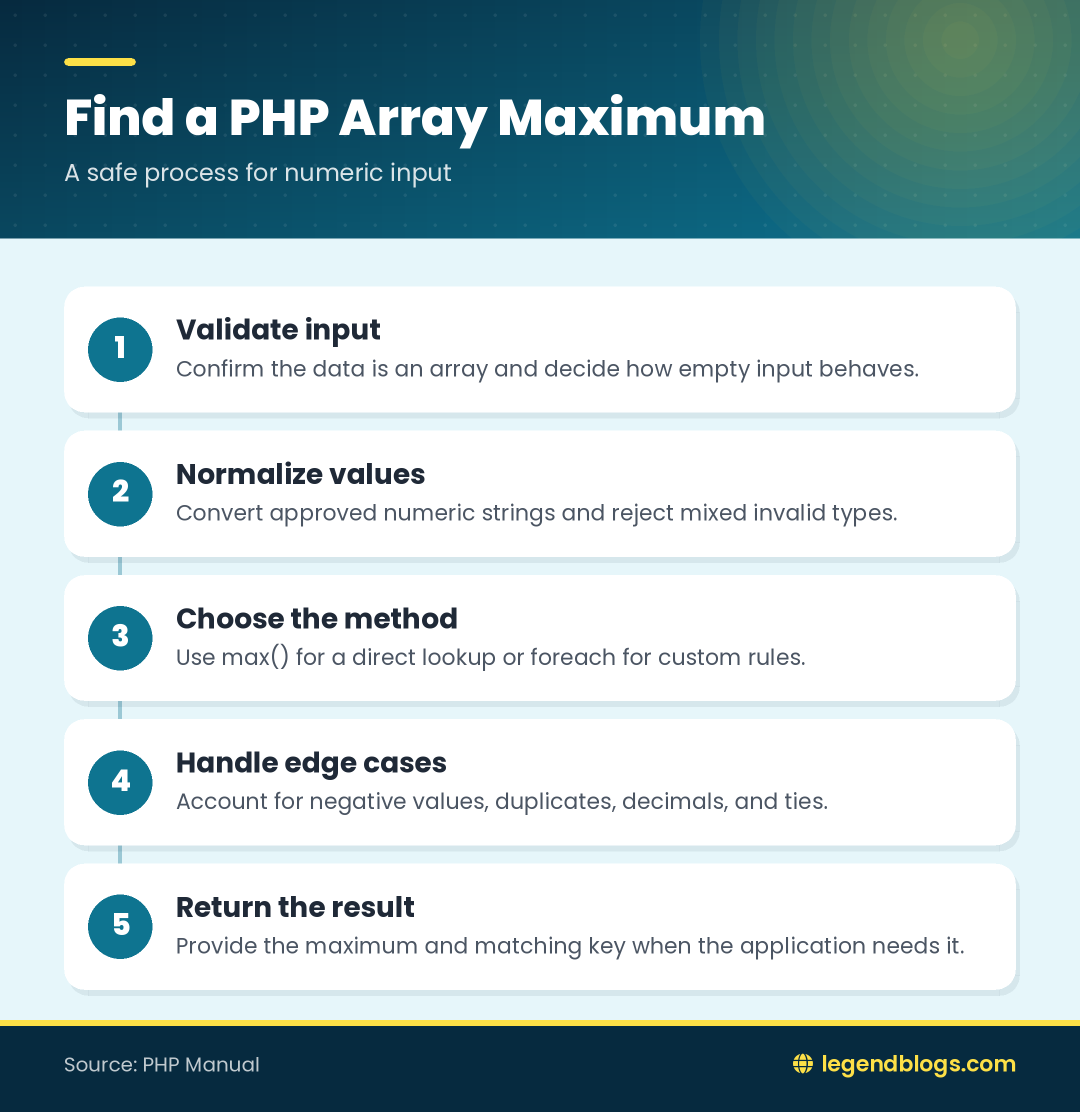
For a clean numeric array, max() is the simplest way to find the largest value. For real application data, validate the input, handle empty arrays, normalize types, and decide what negative values, duplicates, decimals, and invalid records mean.
A loop becomes valuable when you need the second-largest distinct value, the key associated with the maximum, or a custom validation rule. The important improvement over the short original example is to initialize from actual input rather than assuming that zero is always a safe starting point.
The reliable way to find the largest number PHP array contains depends on the input. For a non-empty array of validated numeric values, PHP's max() function is the clearest solution. A foreach loop is better when you need to validate values, preserve the matching key, or calculate the second-largest distinct value.
Using max() Safely
Direct maximum lookup
$numbers = [20, 18, 95, 45, 48];
$largest = max($numbers);
echo $largest;
This prints 95. Check for an empty array before calling max(), because an empty input has no maximum and modern PHP reports an error for it.
Keep values comparable
Do not casually mix numbers, booleans, arrays, and arbitrary strings. Normalize form or query-string values before comparing them, and reject values that do not satisfy the function's input contract.
Use foreach for Custom Rules
Handle negative numbers correctly
$numbers = [-30, -8, -21, -4];
$largest = null;
foreach ($numbers as $number) { if ($largest === null || $number > $largest) { $largest = $number; } }
echo $largest;
The result is -4. The first valid value establishes the initial maximum, so the algorithm does not assume that zero is possible.
Preserve the matching key
Use foreach with both key and value when the array contains names, product IDs, or other identifiers. Update the key whenever a higher value becomes the current maximum.
Why Zero Is a Bad Initial Maximum
For [-12, -5, -20], a variable initialized to zero never changes, so the result is incorrectly reported as zero. Use null or the first item after checking that the array is non-empty. Do not use an arbitrary small constant unless the allowed range is documented.
Find the Second-Largest Value
Define duplicate behavior
Decide whether [95, 95, 48] has a second value of 95 or 48. The first interpretation counts duplicate positions; the second asks for the second-largest distinct number.
Sort a copy or scan once
For a small list, copy the array, remove duplicates when required, sort it in descending order, and read the second item. A foreach loop can track the largest and second-largest values without changing the original order. Handle arrays with fewer than two distinct values explicitly.
Validate Empty and Invalid Input
An empty array should produce null, a controlled exception, or a validation message according to the application. Form values arrive as strings, so convert approved numeric values before comparison and reject empty strings, currency symbols, and arbitrary text unless they are parsed intentionally.
For decimal measurements, convert all values to the same unit. For money, normalize currencies and consider decimal-safe arithmetic rather than relying on casual floating-point comparisons.
Get the Key of the Largest Value
$scores = ['Asha' => 91, 'Ravi' => 98, 'Mina' => 94];
$largest = max($scores);
$name = array_search($largest, $scores, true);
Use strict comparison and test the result with === false, because a valid numeric key can be zero. To return every key tied for the maximum, use array_keys($scores, $largest, true).
Sorting Versus Scanning
Use max() for a direct maximum lookup, foreach when validation or custom tie handling is needed, and sorting when the application needs a complete ranking. Sort a copy if other code still depends on the original array order.
Common Mistakes
- Starting the maximum at zero when negative values are valid.
- Calling max() on an empty array.
- Comparing numeric strings with arbitrary non-numeric strings.
- Confusing associative keys with values.
- Testing array_search() with a loose false comparison.
FAQ
How do I find the largest number in a PHP array?
Use max($array) after confirming that the array is non-empty and contains comparable numeric values.
What is the difference between max() and a loop?
max() is concise for a direct lookup. A loop gives control over validation, keys, ties, and additional calculations.
How do I find the second-largest number in PHP?
Define whether duplicate maximum values count, then sort a copy or scan the array while tracking the largest and second-largest distinct values.
Does max() work with negative numbers?
Yes. max() returns the highest negative value. A manual loop must not start its maximum at zero when negative input is allowed.
How do I get the key of the largest value?
Find the maximum and use array_search() with strict comparison, or track the key and value together during foreach.
Conclusion
The simplest way to find the maximum is max(), but reliable code also handles empty arrays, negative values, input types, duplicate values, and associative keys. Use foreach when the calculation needs custom rules, and sort only when a complete ranking is required.







Write a comment