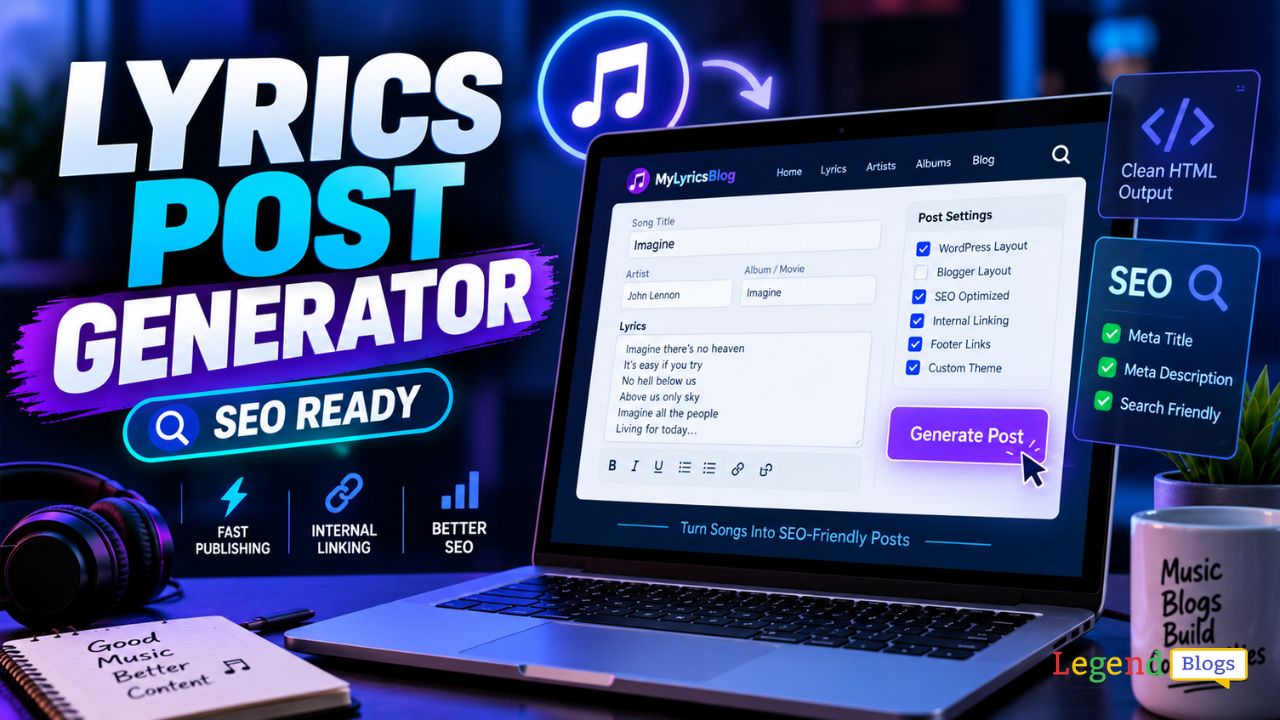
Running a lyrics website can look simple from the outside. Find a song, prepare the information, format the page, add links, optimize it for search engines, and publish it.
In practice, doing this repeatedly can become surprisingly time-consuming.
Every new lyrics post may require similar formatting, HTML editing, internal links, footer links, layout adjustments, and SEO considerations. A Lyrics Post Generator can simplify much of this repetitive work by providing a structured way to create ready-to-use lyrics posts.
The tool discussed by Legend Blogs is designed specifically for bloggers who publish song-lyrics content on platforms such as WordPress and Blogger. According to the tool's published description, it can generate formatted posts and provide different layouts, SEO-oriented formatting, internal linking, footer linking, and multicolor theme options.
If you manage a lyrics blog and want to publish consistently without manually rebuilding the same page structure every time, understanding how a lyrics post generator works can be useful.
What Is a Lyrics Post Generator?
A Lyrics Post Generator is a content-formatting tool designed to help website owners create structured lyrics posts more efficiently.
Instead of manually writing or editing the HTML structure of every page, a generator can provide a predefined format that you can customize and place on your website.
This is particularly useful for publishers who create a large number of similar posts.
For example, a typical song lyrics page may contain:
- Song title
- Artist or singer information
- Movie or album information
- Lyrics
- Additional song details
- Related links
- Internal navigation
- Footer links
- Search-friendly page elements
When every article follows a similar structure, manually creating each page can become repetitive. A generator helps standardize the process.
The Legend Blogs tool specifically describes itself as useful for bloggers operating lyrics websites and says generated content can be used with both WordPress and Blogger.
Why Lyrics Bloggers Need a Post Generator
The biggest advantage is not simply generating HTML. The real advantage is saving repetitive work while maintaining a consistent publishing structure.
Imagine publishing 10, 20, or even hundreds of song-related pages. If every page needs the same basic formatting, manually recreating that structure can consume valuable time.
A generator can make the workflow more systematic.
Faster Content Formatting
Instead of repeatedly creating the same HTML structure, you can work from a prepared layout.
This is particularly useful when the primary task is entering or organizing song information rather than designing a new page from scratch.
Consistent Page Design
Consistency matters on content websites.
If every lyrics page uses a completely different layout, visitors may find the website difficult to navigate. A predefined layout can help maintain a recognizable presentation across posts.
Easier Publishing
The Legend Blogs page describes the process as a simple copy-and-paste workflow and lists layouts intended for WordPress and Blogger.
That can be valuable for bloggers who don't want to spend time manually editing HTML for every article.
Key Features of the Lyrics Post Generator
The tool's published feature list highlights several functions intended specifically for lyrics websites.
1. Copy-and-Paste Workflow
One of the simplest advantages is the ability to generate the post format and then copy the resulting content into your website.
For non-technical bloggers, this approach can be easier than manually creating HTML.
You don't necessarily need to build the entire page structure yourself. Instead, you can focus more attention on the actual content.
2. WordPress and Blogger Layouts
Different blogging platforms can have different publishing workflows.
The Lyrics Post Generator is described as supporting layouts for both WordPress and Blogger, making it useful for publishers working with either platform.
This is especially helpful for bloggers who operate multiple sites.
3. SEO-Oriented Structure
SEO is important for lyrics websites because users commonly search using very specific queries.
Examples include:
- song name lyrics
- song lyrics in English
- latest song lyrics
- [song name] lyrics
- [artist name] song lyrics
- [movie name] song lyrics
A well-structured page makes it easier to organize this information.
The Legend Blogs tool identifies itself as SEO optimized, but it is important to understand that a generator alone does not guarantee search rankings.
Search performance still depends on factors such as content quality, search intent, technical SEO, website authority, competition, indexing, and Google's evaluation of the page.
4. Internal Page Linking
Internal linking is another feature highlighted by the tool.
For a lyrics website, internal links can connect related content.
For example, a page about one song could link to:
- Other songs by the same artist
- Other songs from the same movie
- Related albums
- Popular lyrics
- Artist pages
- Genre pages
A logical internal-linking system can make navigation easier for readers and help search engines discover relationships between pages.
The important point is to keep links genuinely useful rather than adding large numbers of irrelevant links simply for SEO.
5. Footer Linking
The tool also mentions footer linking as one of its features.
Footer links can be useful for important navigation pages, categories, or site-level resources.
However, footer links should be used carefully. A clean footer containing useful navigation is generally better than filling the footer with excessive keyword-rich links.
6. Multicolor Theme Options
Visual presentation also matters.
The generator includes multicolor theme options according to its published feature list.
Color customization can help bloggers create a page that fits their site's overall design.
However, readability should always come first. Strong contrast between text and background is more important than simply making a page colorful.
How to Use a Lyrics Post Generator
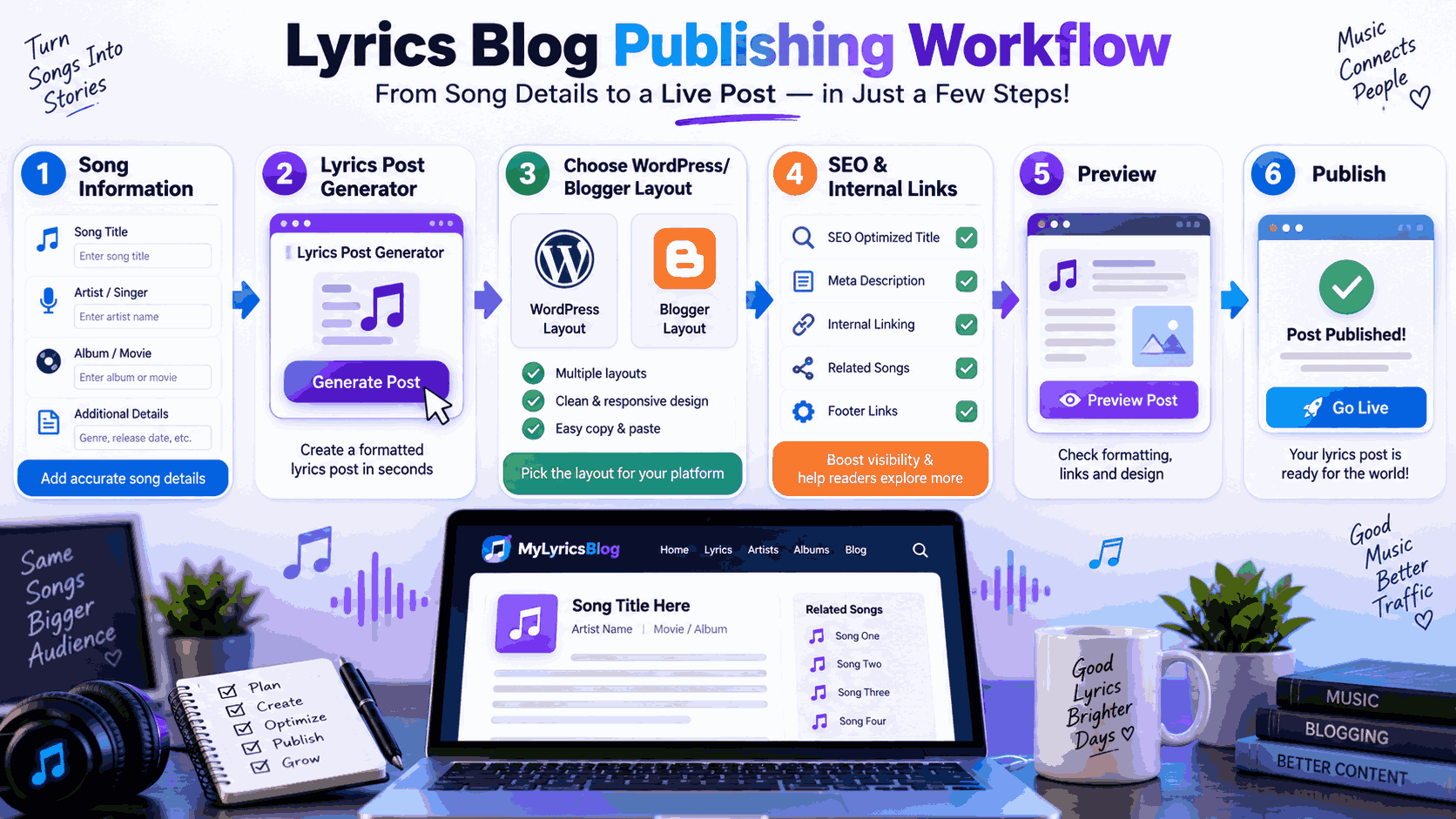
A basic lyrics publishing workflow can be relatively straightforward.
1. Prepare Your Song Information
Before generating the post, collect the information you actually need.
Depending on the type of page, this might include:
- Song title
- Singer
- Artist
- Composer
- Lyricist
- Album or movie
- Release information
- Lyrics
- Related songs
Only include information you can verify.
2. Open the Generator
The Legend Blogs article provides a direct link to its Lyrics Post Generator and recommends using the tool to create lyrics posts.
Open the generator and choose the appropriate layout for your publishing platform.
3. Select the Layout
Choose the layout that best matches your website.
If you're using WordPress, use the WordPress-oriented option where applicable. If you're publishing through Blogger, choose the corresponding Blogger layout.
The objective is to avoid unnecessary formatting work after generating the content.
4. Add Your Content
Enter the relevant song information and lyrics according to the generator's fields or structure.
Don't blindly paste everything without checking it first.
Review:
- Spelling
- Artist names
- Song title
- Formatting
- Paragraph breaks
- Links
- Metadata
- Mobile readability
5. Generate the Post
Once the information is ready, generate the formatted post.
The tool is intended to simplify the repetitive HTML and layout portion of the publishing process.
6. Copy the Generated Content
The published workflow emphasizes a copy-and-paste approach.
Copy the generated content and place it into the appropriate editor on your website.
Before publishing, preview the page.
7. Optimize Before Publishing
This step should not be skipped.
A generated layout is only the starting point. You should still optimize the page for the reader and search intent.
Check your:
- SEO title
- Meta description
- URL slug
- Headings
- Internal links
- Image alt text
- Mobile layout
- Page speed
- Content accuracy
How to Make Lyrics Posts More SEO-Friendly
A generator can help with structure, but SEO requires more than formatting.
Focus on Search Intent
If someone searches for a song's lyrics, they usually want to find the information quickly.
Don't make visitors scroll through several paragraphs of unrelated information before reaching the main purpose of the page.
Give users the information they're looking for clearly.
Write Descriptive Titles
A title should clearly communicate what the page contains.
Instead of trying to make every title overly clever, prioritize clarity.
For example:
[Song Name] Lyrics – [Artist]
may be more useful than a vague promotional headline.
Use Relevant Related Keywords Naturally
A lyrics page may naturally contain related terms such as:
- song lyrics
- lyrics meaning
- singer name
- album name
- movie name
- song information
- official song details
Don't repeat the same keyword dozens of times.
Search engines are increasingly capable of understanding topic relationships, so useful contextual information is generally more valuable than keyword repetition.
Build Useful Internal Links
Internal linking becomes particularly powerful on a large lyrics website.
Suppose you have pages for 10 songs from the same movie. Those pages can potentially connect to one another where relevant.
Similarly, pages about an artist can connect to that artist's songs.
The goal should be to help visitors discover more relevant content.
Tool Guide Video
Lyrics Post Generator vs Manual Formatting
Both approaches have advantages.
| Feature | Lyrics Post Generator | Manual Formatting |
|---|---|---|
| Publishing speed | Faster | Slower |
| Repetitive work | Reduced | High |
| Layout consistency | Easier | Requires attention |
| HTML knowledge | Less necessary | More useful |
| Customization | Depends on layouts | Very high |
| Large-scale publishing | Convenient | Time-consuming |
| SEO results | Depends on overall SEO | Depends on overall SEO |
The important distinction is that a generator improves the workflow, not necessarily the ranking of every page.
A poorly written or legally problematic page will not become successful simply because it uses an SEO-friendly template.
Common Mistakes to Avoid
Using a generator can save time, but automation should not replace editorial judgment.
Publishing Without Reviewing
Never assume that generated output is automatically perfect.
Check the final page before publishing.
Overusing Keywords
Repeating a phrase such as "best song lyrics" throughout the page can make the content unnatural.
Write for the reader first.
Creating Duplicate Pages
If several pages contain essentially the same information with minimal differences, they may provide little additional value.
Each page should have a clear purpose.
Adding Unnecessary Links
Internal links should help users.
Don't add dozens of links simply because a generator makes it easy.
Ignoring Mobile Users
Many music searches happen on mobile devices. Your lyrics should be easy to read on a small screen.
Check font size, spacing, contrast, line height, and page width.
Is a Lyrics Post Generator Good for Beginners?
Yes, particularly for bloggers who are uncomfortable with HTML.
A beginner doesn't necessarily need to understand every piece of markup if the generator provides a ready-made structure.
It can also help new publishers understand how a consistently formatted lyrics page can be organized.
However, beginners should still learn the fundamentals of:
- SEO
- HTML basics
- internal linking
- website navigation
- mobile optimization
- copyright compliance
- content quality
A tool should make blogging easier, not eliminate the need to understand what you're publishing.
Is It Useful for an Established Lyrics Website?
It can be even more useful for an established website.
A site with hundreds or thousands of posts has much more repetitive formatting work than a new blog.
Standardized layouts can reduce the time required to prepare new pages and help maintain visual consistency.
The Legend Blogs page specifically positions the generator as a useful solution for bloggers running lyrics websites and highlights features such as multiple layouts, SEO-oriented formatting, internal linking, and footer linking.
For larger websites, though, it's worth testing generated pages carefully before using a template at scale.
What About Copyright and Lyrics Websites?
This is one area where bloggers should be particularly careful.
A formatting tool does not give you permission to republish copyrighted lyrics.
The fact that lyrics can technically be copied, formatted, or displayed on a website does not automatically mean that doing so is legally permitted.
Before publishing copyrighted song lyrics, understand the laws applicable to your country, the rights involved, and whether you have the necessary authorization or license.
The tool itself should therefore be viewed as a publishing and formatting utility, not as a copyright solution.
This distinction is important for anyone building a commercial lyrics website.
Frequently Asked Questions
What is a Lyrics Post Generator?
A Lyrics Post Generator is a tool designed to help bloggers create structured, formatted posts for lyrics websites. The Legend Blogs version provides layouts and features intended for WordPress and Blogger publishing workflows.
Can I use a Lyrics Post Generator with WordPress?
Yes. The Legend Blogs tool specifically lists WordPress layouts among its features.
Does it work with Blogger?
Yes. Blogger layouts are also listed among the tool's supported options.
Does a Lyrics Post Generator guarantee SEO rankings?
No. A generator can help with formatting and structure, but rankings depend on many factors, including content quality, relevance, technical SEO, competition, authority, and search-engine evaluation.
Does internal linking help a lyrics website?
Useful internal linking can improve navigation and help search engines discover and understand relationships between pages. The links should be relevant and useful rather than added simply to increase link volume.
Can beginners use a Lyrics Post Generator?
Yes. A copy-and-paste workflow can be easier for beginners than manually creating HTML. However, basic knowledge of SEO and website publishing remains valuable.
Should I publish generated posts without checking them?
No. Always review generated content before publication. Check formatting, links, factual information, mobile appearance, metadata, and any copyright considerations.
Is a colorful layout better for SEO?
Not necessarily. Color can improve branding and visual appeal, but SEO depends on many other factors. Readability, accessibility, useful content, performance, and relevance are more important.
Conclusion
A Lyrics Post Generator can be a practical time-saving tool for bloggers who regularly publish song-related content.
Its biggest advantage is workflow efficiency. Instead of repeatedly building the same HTML and page structure, bloggers can use predefined layouts and a simpler copy-and-paste process. The Legend Blogs tool specifically promotes WordPress and Blogger layouts, SEO-oriented formatting, internal page linking, footer linking, and multicolor themes.
But the generator should be treated as one part of a larger publishing strategy.
Good SEO still requires useful content, sensible internal linking, clear page titles, strong user experience, mobile-friendly design, accurate information, and responsible publishing practices. And when copyrighted lyrics are involved, formatting convenience does not replace the need to consider licensing and applicable copyright law.
For bloggers managing a lyrics website, the best approach is simple: use automation to reduce repetitive formatting work, then spend the saved time improving the quality and usefulness of the actual website.
The referenced Legend Blogs article provides access to the tool and describes its main features and workflow.







Write a comment