Why is coding important for students? There are lots of reasons for that. Computer coding is a part of our lifestyle now. Learning to computer programming, regardless of the path a child chooses to take, is a fateful day.
Now research shows us that this knowledge will be important in any career. The programming language is a highly useful skill for your children to learn, regardless of the career path they pursue in the future.
Teaching your children, how to programming helps them develop important problem-solving skills, creativity, builds communication skills, and a lot more things.
It can be a big opportunity to bond and have some fun and mind exercises. Here they provide our thoughts on why it’s important to teach computer coding for kids, how to learn to program language. Then, they provide some helpful tools for your kids of all ages.
How Can I Start?
It is the parent's responsibility to encourage children's interests and help them develop life skills. My personal opinion is to start children coding early and make it easy.
According to my opinion, a child's mind can easily catch it.
Benefits of coding for students
There are a lots of things, how does coding benefit students. Few things are there for why is coding important for the future.
Build confidence through small wins
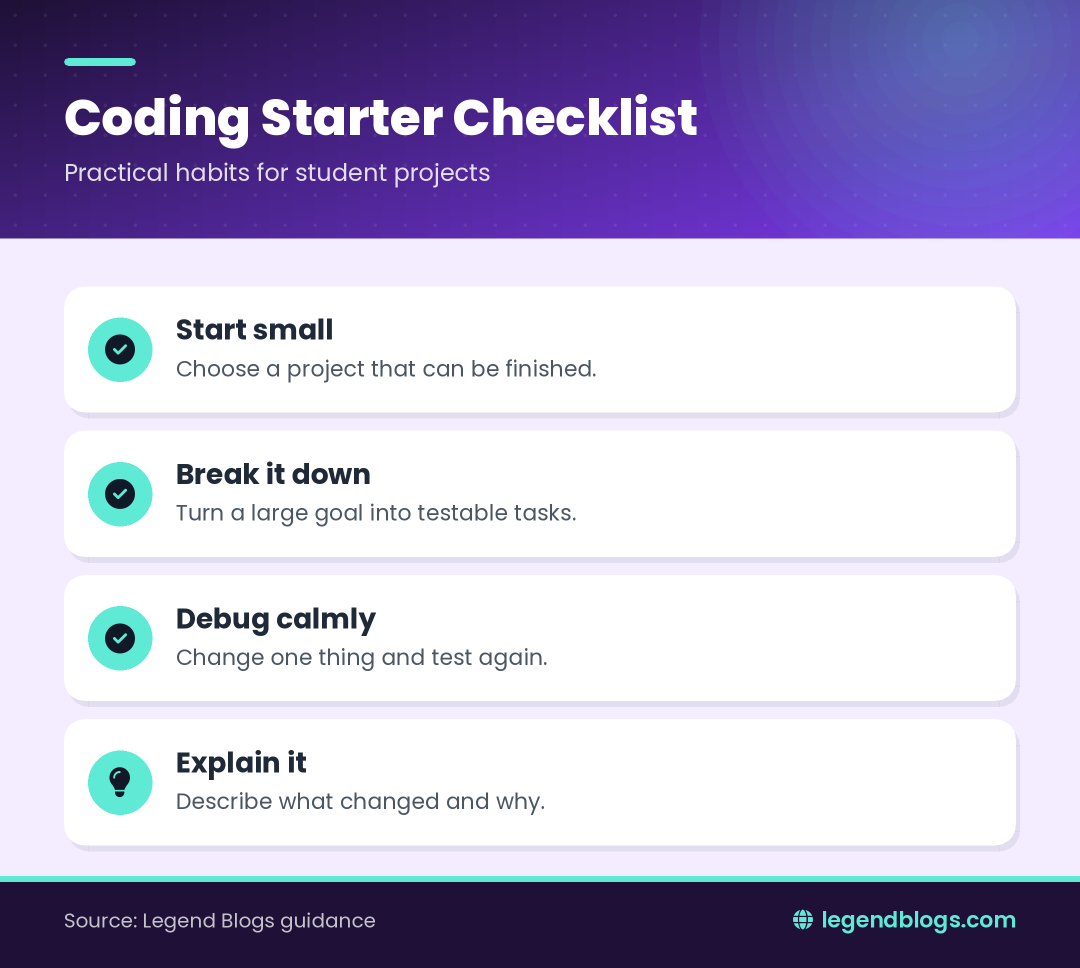
Coding for students works best when the first task is small enough to finish. A learner might change the background of a simple web page, animate a character, or make a short quiz. Each completed experiment gives the student a clear result and a reason to try the next idea.
Teachers and parents can support this process by praising the method rather than only the final result. Ask what the student tried, what failed, and what they changed. That conversation turns an error into useful feedback instead of making the learner feel that programming is only for people who get everything right immediately.
Practice communication and collaboration
Most useful software is built through discussion. Students learn to describe a problem, explain an approach, read another person’s code, and test a solution together. Group projects also introduce practical habits such as naming files clearly, dividing tasks, recording decisions, and checking work before sharing it.
- Explain the goal in one sentence before starting.
- Break the project into tasks that can be tested separately.
- Use comments or notes to explain unusual decisions.
- Ask for specific feedback instead of simply asking whether the code is good.
Connect code with school subjects
A coding project can make lessons more concrete. A student can use a small program to display a graph, model repeated patterns, sort information, or create an interactive story about a historical topic. The goal is not to turn every subject into a programming class; it is to show that code can be a tool for expressing ideas and investigating questions.
- Coding shows math in action
- Kids learn how things work, and create things that work
- Students learn structural thinking
- Kids learn perseverance
- Students learn computational thinking
- Students learn algorithmic thinking
- Coding can make your child discover his lifelong passion.
The Importance of Teaching Your Children How to Code
It’s tough to pinpoint one reason why children should learn how to code. So that, try and pick just one. We have pulled together a few reasons, why coding should be taught in schools and why coding should be on your list of things to do with your kids.
Develop Problem Solving Skills
Learning the basics of coding, along with understanding how computers work, helps children to grasp how things work. There are lots of things to develop an appreciation for all the effort that goes into the tech we use every day.
Computer programing (Coding) also helps children understand how software developers use math in order to solve problems. Own logic and creativity go hand in hand for all programmers.
Learn how to code at a young age will help children master overcoming worriment.
One question for you. Tell me how many times have you written code in 30 to 40 minutes then needed an hour or more than an hour to find that one, a small error? So that problem-solving skills combined with patience will be very useful later in your child’s life.
Learn How to Think
Coding teaching us how to think. When you creating a program it is much more than staring at a screen cranking out lines of code. A different thought process is required.
Debugging teaches a repeatable process
Debugging is the practice of finding why a program behaves differently from what the student expected. A useful routine is to reproduce the problem, read the error carefully, check the smallest relevant part of the code, change one thing, and test again. This process is more valuable than guessing and replacing several lines at once.
Students should also learn that a program can run without being correct. Testing different inputs, including unusual or empty values, helps them discover assumptions that are hidden in the first version. Writing down the expected result before running the code makes the test clearer.
Algorithms are plans, not just code
An algorithm is a sequence of steps for completing a task. Before opening a coding tool, students can describe how they would sort books, find a name in a list, or prepare a sandwich. Turning that everyday process into precise instructions shows why order, conditions, and repetition matter.
Once the plan is clear, the student can translate it into blocks or text. This keeps the focus on reasoning instead of memorizing punctuation. It also makes it easier to change the same idea for a different programming language later.
So, creating a quality and robust program requires the programmer to identify a large issue. Break it down into smaller parts or chunk, and after that solve the problem in an effective manner.
Entry Level Programming Games
The youngest children respond best to programming resources that focus more on graphics than the actual code itself. It’s true that many of these educational apps come with an 8+ age rating.
Choose a first tool by age and interest
Block-based tools are often a gentle starting point because students can arrange commands without first learning every typing rule. A text-based language may be a better fit for an older learner who wants to build web pages, automate a task, or understand how a particular platform works. There is no single correct starting age or language.
Choose a project before choosing a tool. A student interested in art may enjoy animation, while someone who likes puzzles may prefer a guessing game or maze. Interest creates a natural reason to learn variables, conditions, loops, and functions.
A simple four-week practice plan
- Week one: explore the editor and recreate a tiny example without copying it line by line.
- Week two: change the example by adding a character, question, score, or new screen.
- Week three: plan a small original project on paper before writing the code.
- Week four: test it with another person, fix the clearest problem, and explain how it works.
Short, regular sessions are easier to maintain than an ambitious project that becomes frustrating. Students can keep a simple learning log with the problem they faced, the clue that helped, and the next experiment they want to try.
Coding MOOCs
Massively open online courses (MOOCs) have been around for a while, but they seem to be getting increasingly popular with people spending more time at home.
How parents and teachers can support beginners
Make the learning environment safe
Use age-appropriate platforms and review account, chat, and sharing settings before a child begins. Students should know not to publish their full name, school details, location, passwords, or private images in a public project. A safe learning environment leaves room for experimentation without exposing unnecessary personal information.
Measure progress by projects and explanations
A finished project is useful evidence of progress, but the student’s explanation matters too. Ask them to describe the goal, identify one part that changed during testing, and suggest what they would improve next. This checks understanding more effectively than judging a learner by how quickly they type.







Write a comment